Stuck in the endless loop of sending, tracking, and chasing documents? 😩
You’re not alone. Choosing between PandaDoc and Proposify can feel like picking between two champions both promise to streamline your proposals, contracts, and e-signatures, but which one is truly the MVP for your team?
Whether you’re a sales leader drowning in paperwork, a growing startup needing sleek proposals, or a business owner craving automation, this isn’t just another software comparison.
We’ve dissected every feature, price tag, and user review so you don’t have to.
Let’s cut through the noise and find your perfect document workflow sidekick! 🚀
1.) PandaDoc vs Proposify: The 60-Second Snapshot ⚡
Before we dive deep, here’s a side-by-side glance at how these two platforms stack up on the essentials. Think of this as your cheat sheet! 📊
| Aspect | 🐼 PandaDoc vs 📑 Proposify | |
|---|---|---|
| PandaDoc 🐼 | Proposify 📑 | |
| Core Strength | All-in-one document automation & compliance | Beautiful, user-focused proposal design |
| Best For | Teams needing contracts, proposals, & complex workflows | Sales teams prioritizing stunning, brand-perfect proposals |
| Pricing Vibe | Scalable plans, feature-rich even at mid-tier | Simpler plans, great for core proposal needs |
| Signature Power | Native, robust e-signature with advanced fields | Reliable e-signature (integrated) |
| Workflow Smarts | Strong approval loops, CRM sync, & automation | Streamlined for proposal creation & tracking |
| User Feel | Powerful but slightly steeper learning curve | Intuitive and designer-friendly |
| Standout Trait | Document versatility (from quotes to HR docs) | Template beauty & ease |
Quick Verdict: Need a powerful, do-it-all document engine? PandaDoc might be your pick. Obsessed with pixel-perfect proposals and a smoother start? Proposify shines. ✨
2.) What Is PandaDoc?
PandaDoc is a leading document automation platform that helps businesses streamline their document workflows. It allows you to easily create, manage, and sign documents online, automating tasks that usually take up significant time. From proposals to contracts, PandaDoc makes the entire process smoother and faster. 🚀
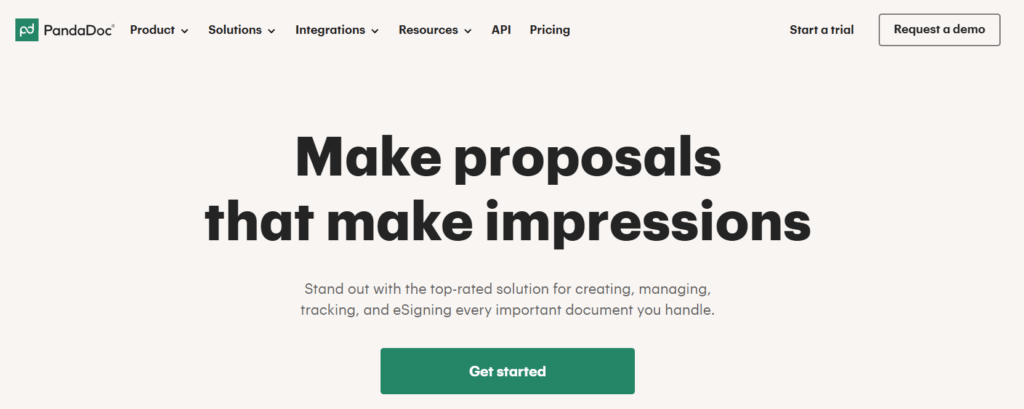
Whether you’re running a small business or part of a larger enterprise, PandaDoc reduces the manual effort behind document creation, approval, and signing, helping you focus on more important tasks. 🧑💻
What makes PandaDoc stand out? It’s known for its ease of use, robust integrations, and its ability to make document workflows more collaborative. Whether you’re working on sales proposals, contract management, or client agreements, PandaDoc can handle it all. 📑
Who Should Use PandaDoc?
- Sales Teams 💼: Create, send, and track contracts, proposals, and quotes quickly.
- Marketing Teams 📈: Automate document creation and improve client communication.
- HR & Legal Departments ⚖️: Manage compliance documents, employee contracts, and more.
3.) What Is Proposify?
📑 Proposify is a proposal management tool designed to help businesses create, send, and manage professional proposals. It offers an intuitive proposal editor, allowing you to customize proposals quickly and collaborate seamlessly with clients and team members.
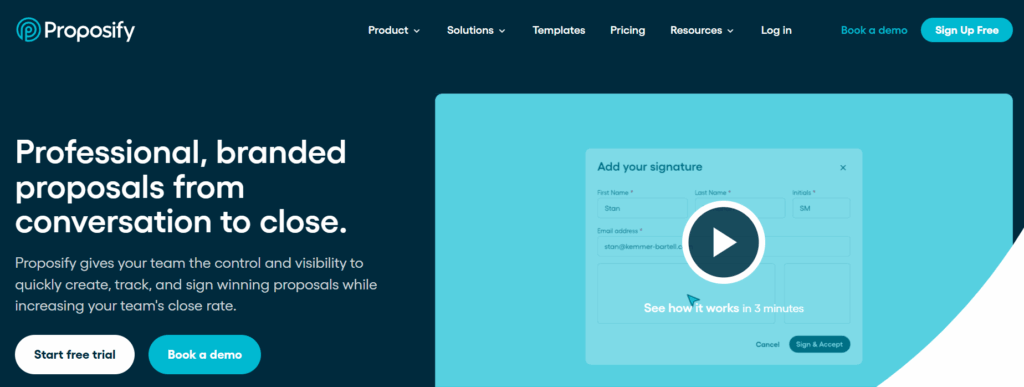
Proposify focuses on the proposal process, helping teams automate their workflows from proposal creation to approval. With template libraries, drag-and-drop design, and easy customization, Proposify makes it easier to create visually appealing proposals without needing a design background.
What sets Proposify apart is its deep focus on collaboration. Teams can track when proposals are viewed, gather feedback, and even have multiple people edit the proposal in real-time, making it ideal for teams that need tight collaboration.
Who Should Use Proposify?
- Sales Teams: Generate, send, and track proposals in real time.
- Business Owners & Freelancers: Create and manage client proposals efficiently without a hassle.
- Project Managers: Streamline the approval process and keep all proposal-related communications in one place.
Proposify’s specialized focus on proposal management makes it perfect for businesses where creating highly customized and professional proposals is key to closing deals.
4.) PandaDoc vs Proposify: Feature Comparison
Let’s move beyond simple checkmarks. Here’s a detailed, practical breakdown of how each platform’s features actually work for you day-to-day.
📝 Document Creation & Intelligence
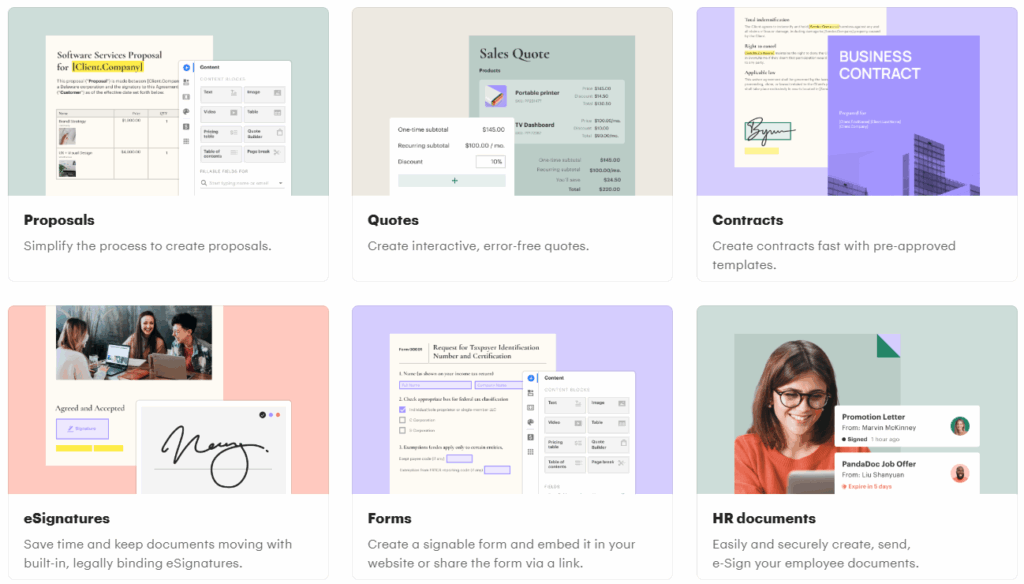
- PandaDoc 🐼: Think of it as a smart document brain. Its editor supports conditional logic (show/hide sections based on client answers), dynamic pricing tables that auto-calculate, and variable data merging from your CRM. It’s built for complex, data-driven documents like contracts and detailed quotes.
- Proposify 📑: Think of it as a persuasive design studio. Its editor is supremely intuitive for building visually compelling narratives. Features like reusable content blocks, easy drag-and-drop of images/videos, and client-specific customization make crafting beautiful proposals fast. It’s less about logic, more about impact.
🎨 Templates & Brand Control
- PandaDoc: Offers a vast business-document library (NDAs, SOWs, invoices). Brand control is strong, with global font/color/logo settings, but achieving pixel-perfect design can require more setup.
- Proposify: Wins on template design out-of-the-box. Its templates are created by sales conversion experts. Brand control is effortless upload your kit once, and it’s automatically applied. The focus is proposal-specific branding perfection.
⚙️ Workflow & Automation Capabilities
- PandaDoc: This is its superpower. You can build multi-stage approval chains (e.g., Legal > Finance > Manager) with parallel or sequential paths. Set automated reminders for signers, and trigger actions based on CRM stages. It’s a true process automation engine.
- Proposify: Provides straightforward, linear workflows. You can assign internal approvals and set proposal statuses. It’s designed for speed and clarity, not complex, multi-departmental routing. It automates the proposal journey, not the entire corporate workflow.
📊 Analytics & Insights
- PandaDoc: Provides funnel-style sales analytics. You can track document performance across stages, forecast revenue from pending deals, and get granular data like “which pricing option did the client view longest?” Ideal for managers.
- Proposify: Provides client engagement analytics. Its heatmaps and page-by-page view times answer: “What part of my story captivated my client?” It’s insight for the individual salesperson to perfect their pitch.
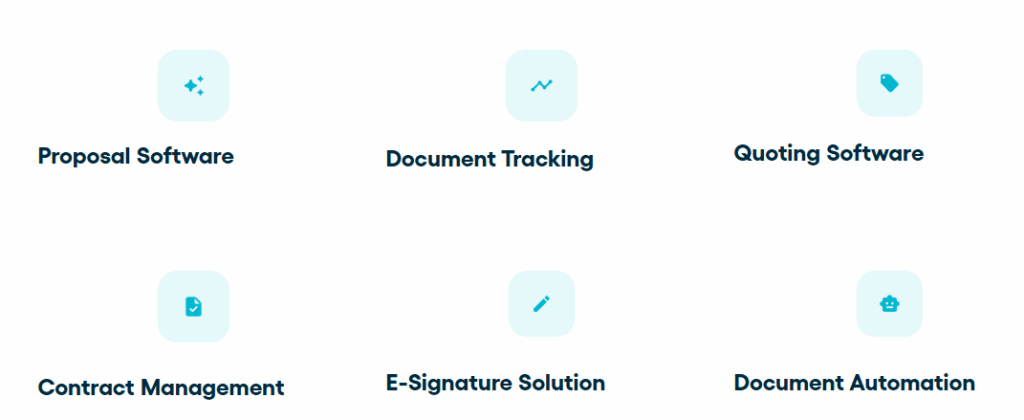
👥 Collaboration & Team Use
- PandaDoc: Built for cross-functional collaboration. Legal can comment on clauses, sales can adjust pricing, and managers can approve—all in real-time within the doc. The activity feed provides a full audit trail.
- Proposify: Built for sales team collaboration. Teammates can provide feedback, suggest edits, and reuse each other’s successful content. It’s optimized for a sales pod to work together efficiently.
The Core Difference Recap: 🎯
PandaDoc is like a central document command center for the entire company. Proposify is like a high-performance proposal workshop for the sales team.
5.) E‑Signature & Document Creation Comparison ✍️📑
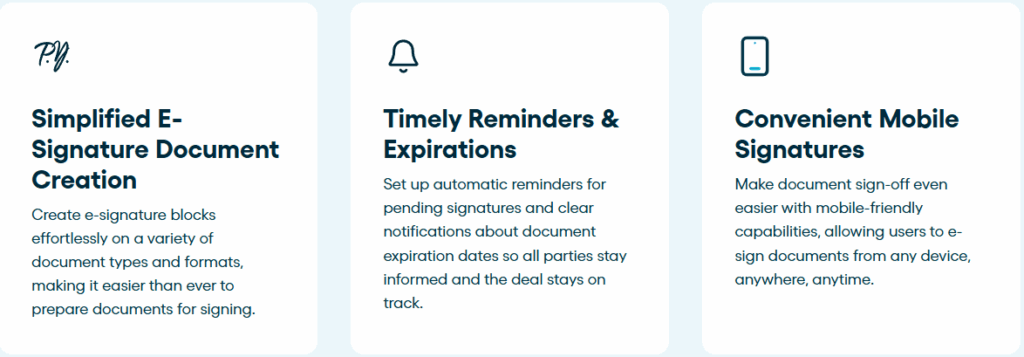
One of the key features of both PandaDoc and Proposify is their approach to e-signatures and document creation. Let’s see how they compare when it comes to making your document workflow smooth and efficient.
PandaDoc:
PandaDoc offers a seamless document creation process with its drag-and-drop builder, which makes it easy for users to add text, images, pricing tables, and more. It’s designed to be user-friendly, even for people without design experience. Plus, PandaDoc integrates electronic signatures directly within documents, allowing clients to sign instantly, no paper required. 🖊️
- E-Signature Capabilities: Legally binding, encrypted e-signatures.
- Templates: Pre-built templates that can be customized to fit your needs. 🧩
- Tracking: Monitor who signs, who views, and when they sign in real time.
Proposify:
Proposify also shines when it comes to document creation, but its focus is more on beautiful, branded proposals. The platform offers an impressive array of templates with sleek, modern designs, which you can customize to represent your business’ unique style. It also allows live document editing, so you can easily collaborate with your team on the proposal.
- Client Engagement: Proposify provides interactive proposal features like live chats for real-time communication. 💬
- E-Signature: It supports e-signatures as well, but its focus on visual appeal might appeal more to businesses with a strong emphasis on presentation. 🎨
- Customizable Templates: Tailored templates, with a focus on creating visually appealing proposals.
6.) Proposal & Contract Workflow Differences 📈🔄
When it comes to proposal and contract workflows, both PandaDoc and Proposify offer unique approaches. Let’s explore how each platform handles document automation and approval processes.
PandaDoc:
PandaDoc’s workflow automation is one of its standout features, especially for businesses looking to save time and reduce manual tasks. With PandaDoc, you can create an entire document process from start to finish, with automated reminders, document approvals, and conditional logic to make sure everything runs smoothly.
- Approval Workflow: Automate the approval process by routing documents to the right people at the right time.
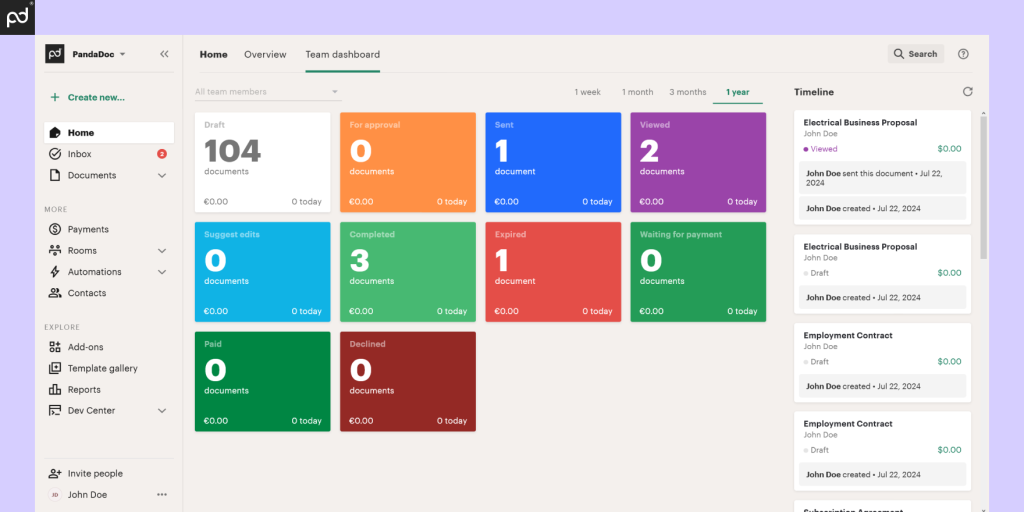
- Document Tracking: Get detailed insights into the document lifecycle, from creation to final signature. 📊
- Multi-Step Workflows: Create complex workflows that handle multiple rounds of approvals and signatures, perfect for larger teams or enterprise needs.
Proposify:
Proposify is more focused on the sales-driven proposal process, offering tools designed to streamline client interactions and boost approval rates. It also provides customizable workflows, but with a slightly simpler approach compared to PandaDoc. Its workflow focuses more on the proposal review and feedback process.
- Team Collaboration: Multiple users can collaborate on proposals, with the ability to assign specific tasks to team members. 👫
- Proposal Feedback: Clients can leave comments and ask questions directly within the proposal, making it a more interactive experience.
- Simple Approvals: Proposify’s workflow is ideal for businesses that don’t need the complexity of multi-step approvals but still want an easy-to-manage process.
For deeper insight into how PandaDoc fits modern sales teams beyond this comparison, read our complete breakdown on PandaDoc for Sales Teams.
7.) Pricing Comparison: PandaDoc vs Proposify 💰⚖️
When it comes to choosing between PandaDoc and Proposify, the pricing models play a significant role in your decision-making process. Let’s break down the cost structures for both platforms so you can find the best option for your budget and needs.
PandaDoc Pricing 📊
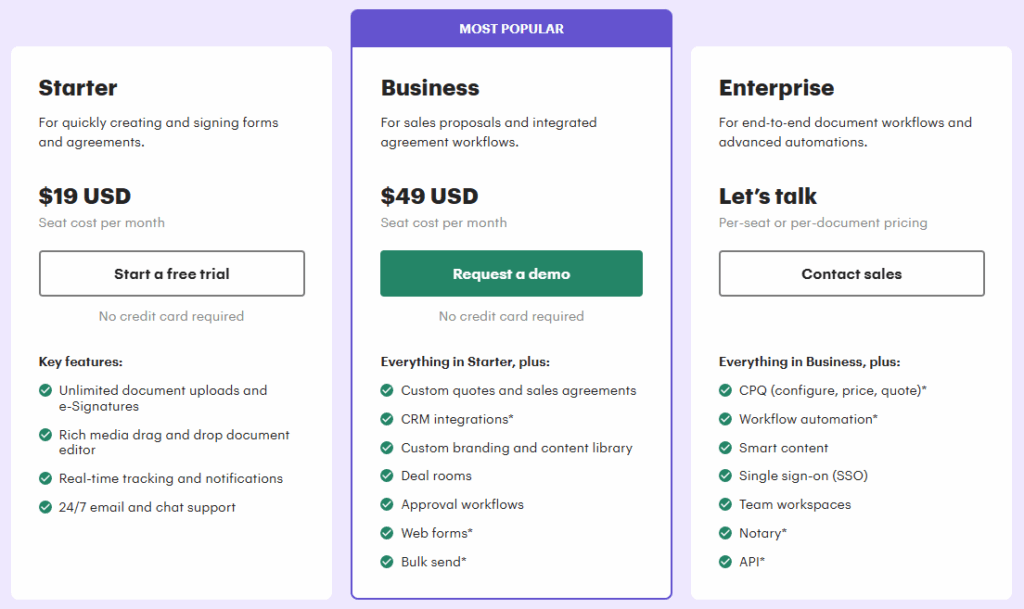
PandaDoc offers flexible pricing plans designed to cater to different business needs:
| Plan | Monthly Cost (Approx) | Features Included |
|---|---|---|
| Free | $0 | Basic e-signatures, document creation, 5 documents/month |
| Essentials | $19/user | Unlimited e-signatures, integrations, templates |
| Business | $49/user | Workflow automation, document analytics, unlimited integrations |
| Enterprise | Custom | Advanced security, API, dedicated account manager |
Pros:
- Free plan available with basic features.
- Affordable for small teams and startups.
- Business plan includes document analytics and workflow automation at a reasonable price.
Proposify Pricing 💼
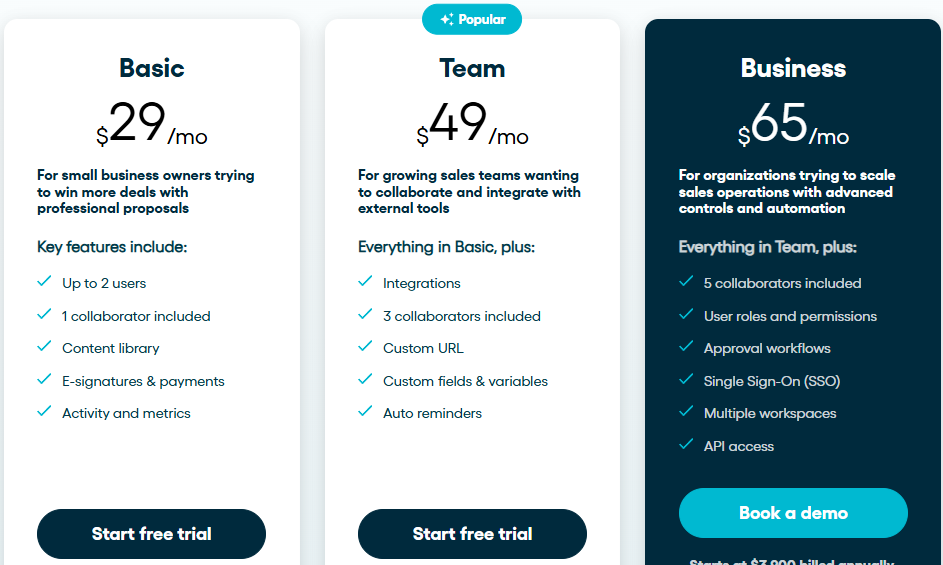
Proposify’s pricing structure is designed for businesses focused on proposal management:
| Plan | Monthly Cost (Approx) | Features Included |
|---|---|---|
| Basic | $29/month | 2 users, 1 collaborator, content library, e-signatures, activity tracking |
| Team | $49/month | Everything in Basic, plus integrations, 3 collaborators, custom URL, auto reminders |
| Business | $65/month | Everything in Team, plus 5 collaborators, user roles, approval workflows, SSO, multiple workspaces |
Pros:
- Affordable for small businesses needing professional proposals.
- Popular plan at $49 includes essential integrations and team collaboration features.
- Business plan offers advanced controls, including API access and SSO.
Which One Offers Better Value?
- PandaDoc is better for businesses that need an all-in-one document management system with workflow automation and integrations across multiple business functions (sales, marketing, HR).
- Proposify is ideal if your primary focus is proposal management with advanced proposal analytics, customization, and collaboration tools.
Since pricing can influence your final decision, you may want to review any available PandaDoc promo code or discount deal before subscribing.
8.) Pros & Cons: PandaDoc & Proposify ⚖️💡
Now that we’ve explored the key features, let’s take a look at the pros and cons of each platform. This will help you make a more informed decision based on your business needs.
🐼 PandaDoc: Pros & Cons
PandaDoc Pros
- ✓ All-in-One Powerhouse: Combines proposals, contracts, e-signatures, payments, and CRM automation in a single platform. Eliminates tool sprawl
- ✓ Deep Workflow Automation: Unmatched for setting up complex approval chains and automated sequences. A massive time-saver
- ✓ CRM Integration Depth: Truly bidirectional sync with major CRMs (Salesforce, HubSpot) makes it feel like a native extension
- ✓ Superior for Complex Documents: Handles conditional logic, dynamic pricing, and data-heavy quotes/contracts with ease
- ✓ Strong Compliance Posture: Ideal for regulated industries with HIPAA readiness and detailed audit trails
PandaDoc Cons
- ✕ Steeper Learning Curve: Interface can feel cluttered and overwhelming for new users. Requires more upfront training
- ✕ Can Be Costly: To unlock true power (automation, advanced CRM sync), need Business plan or higher – significant investment
- ✕ Design Flexibility Limit: Achieving pixel-perfect proposal design requires more effort than Proposify
- ✕ “Overkill” for Simple Needs: Breadth of features feels unnecessary if you only need beautiful proposals
📑 Proposify: Pros & Cons
Proposify Pros
- ✓ Exceptional Ease of Use: Most intuitive and delightful editor – teams adopt it almost instantly
- ✓ Stunning Templates: Best-looking, professionally designed templates out of the box
- ✓ Laser-Focused on Proposals: Does one thing (proposals) exceptionally well without feature bloat
- ✓ Faster Time-to-Value: From signup to sending beautiful, tracked proposal in under an hour
- ✓ Clear, Predictable Pricing: Simpler plan structure that’s easy to understand
Proposify Cons
- ✕ Less Document Versatility: Not built for complex contracts, HR documents, or legal agreements – primarily proposals
- ✕ Limited Workflow Automation: Lacks deep, multi-departmental approval engines of PandaDoc
- ✕ E-Signature is Integrated: Relies on HelloSign (strong partner) rather than completely native experience
- ✕ Scalability Concerns: Growing enterprises with intricate processes may eventually outgrow it
9.) Integrations & Ecosystem 🔗🌐
Both PandaDoc and Proposify offer a wide range of integrations to ensure smooth connections with the tools you already use. Let’s take a closer look at how these platforms integrate with other business systems and enhance your workflow.
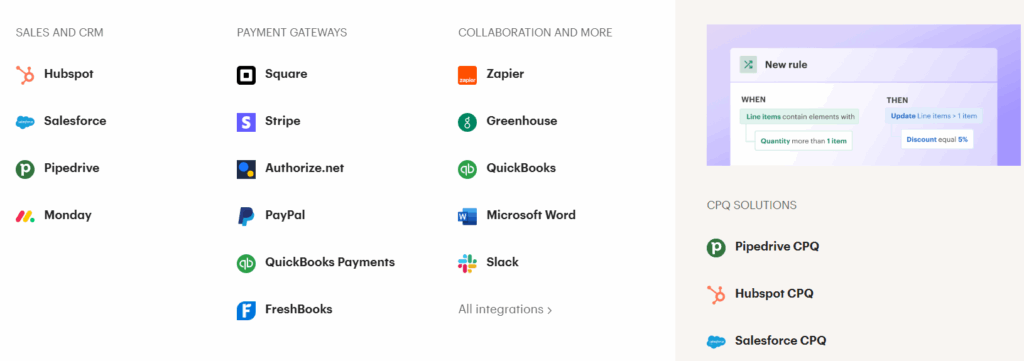
PandaDoc Integrations:
PandaDoc offers robust integrations with numerous tools, making it a versatile solution for businesses that rely on multiple platforms. Some of the top integrations include:
- CRM Tools: Salesforce, HubSpot, Pipedrive, and Zoho CRM.
- Cloud Storage: Google Drive, Dropbox, and OneDrive for easy document storage and sharing.
- Payment Gateways: Stripe and PayPal to collect payments directly through documents.
- Other Integrations: QuickBooks, Microsoft Teams, and Slack for collaboration and payment processing.
These integrations ensure that PandaDoc can seamlessly fit into your existing tech stack, improving your overall productivity and document management. 🚀
Proposify Integrations:
Proposify also boasts a strong selection of integrations, although it is more focused on sales and proposal management tools. Key integrations include:
- CRM Tools: Salesforce, HubSpot, Pipedrive, and Zoho CRM.
- Cloud Storage: Google Drive, Dropbox, Box.
- Accounting Tools: QuickBooks and Xero for easy invoicing and financial tracking.
- Other Integrations: Stripe and Zapier for connecting with hundreds of apps.
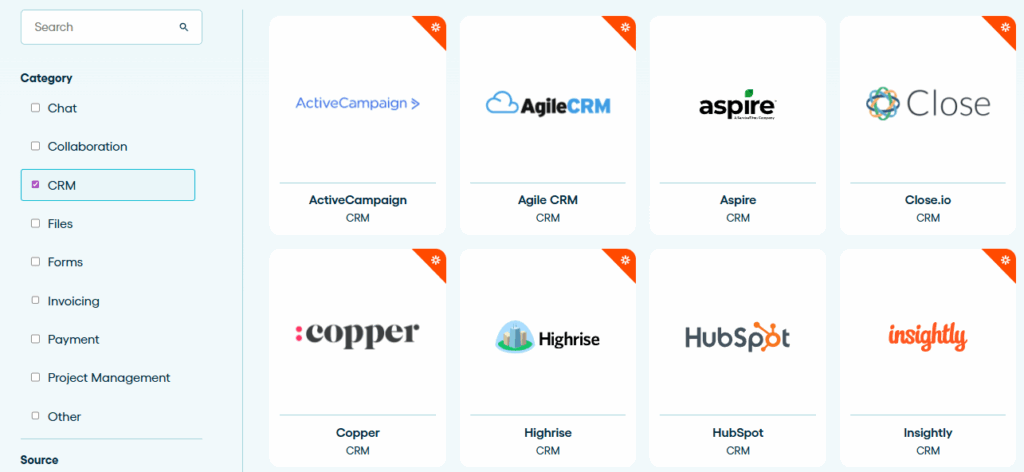
While Proposify offers fewer integrations compared to PandaDoc, its focus on proposal management means its integrations are tailored to help you manage the sales process more efficiently. 🧩
10.) User Experience & Support: Which Platform is Easier to Use?
When it comes to selecting the right tool, the user experience and the quality of customer support are crucial factors. Let’s dive into how PandaDoc and Proposify compare when it comes to ease of use and support.
1. PandaDoc User Experience 🖥️
- Intuitive Interface: PandaDoc offers a user-friendly, drag-and-drop document editor, making it easy for non-tech users to create and manage documents without needing design or technical skills.
- Custom Templates: It’s simple to personalize templates for proposals, contracts, and quotes, helping teams save time and maintain consistency.
- Workflow Automation: PandaDoc’s workflow automation is particularly helpful for teams looking to automate reminders, approvals, and document tracking.
Pro: PandaDoc’s clean interface and robust features make it highly easy to navigate, especially for businesses that need to handle a variety of document types.

2. Proposify User Experience 📝
- Proposal-Focused Design: Proposify’s design is optimized for proposal management, offering customizable templates specifically for sales proposals, quotes, and contracts.
- Real-Time Collaboration: Proposify stands out with real-time collaboration, allowing multiple team members to edit and comment on proposals simultaneously. This is a huge plus for sales teams that need constant feedback and revisions.
- Proposal Analytics: With tracking and analytics for proposals, Proposify gives you insights into how clients are interacting with proposals perfect for improving conversion rates.
Pro: Proposify’s proposal-focused approach makes it ideal for businesses that want a tool tailored to creating, sending, and managing proposals with detailed client insights.
11.) Security & Compliance: Protecting Your Documents
When handling sensitive data, security and compliance are non-negotiable. Let’s compare how PandaDoc and Proposify ensure your documents are safe and meet industry standards.
1. PandaDoc Security & Compliance 🛡️
- SOC 2 Type II, HIPAA, GDPR Compliance: Trusted for regulated industries.
- 256-bit AES Encryption: Protects all documents.
- Two-Factor Authentication (2FA): Additional layer of security.
Pro: Comprehensive compliance for businesses in healthcare, finance, and other regulated sectors.
2. Proposify Security & Compliance 🔐
- SOC 2 Type II Compliance: Ensures data protection.
- SSL Encryption: Secure document transmission.
- Two-Factor Authentication (2FA): Available on higher-tier plans.
Pro: Meets industry standards for sales teams and proposal management.
Which One Is More Secure?
- Proposify: Ideal for sales teams needing basic security and proposal management.
- PandaDoc: Best for highly regulated industries requiring advanced compliance.
12.) Conclusion: Which Platform Wins?
After comparing PandaDoc and Proposify, it’s clear that both platforms offer excellent tools, but the right choice for your business depends on your needs. 🏆
- PandaDoc is the winner if you need an all-in-one document solution. It’s perfect for businesses that require e-signatures, document creation, workflow automation, and payment processing. PandaDoc shines with its wide integration options, affordable pricing, and enterprise-grade compliance.
- Proposify excels if your focus is sales proposals and client collaboration. It’s ideal for sales teams looking for a simple and effective proposal management tool with real-time collaboration and tracking features. However, it lacks some of the more comprehensive document management features that PandaDoc offers.

Final Verdict:
- Choose PandaDoc if you need a comprehensive solution with a variety of document types and strong automation tools.
- Choose Proposify if you need a proposal-centric platform that focuses on sales proposals and client interaction.
Both platforms have their strengths the choice ultimately depends on whether your business needs a broader document management system (PandaDoc) or a proposal-focused solution (Proposify).
“Related Article”
- PandaDoc vs DocuSign: Which E-Signature Tool Wins?
- PandaDoc Pricing Plans: Which One is Right for You?
❓ Frequently Asked Questions
1. Which is better for small businesses, PandaDoc or Proposify?
PandaDoc is often a better choice for small businesses due to its all-in-one document management, workflow automation, and affordable pricing. Proposify is a strong contender for businesses focusing purely on sales proposals.
2. Can I create contracts and proposals with PandaDoc?
Yes! PandaDoc allows you to create not only proposals but also contracts, quotes, and other document types, making it an all-in-one solution for document management.
3. Does Proposify integrate with CRM systems?
Yes, Proposify integrates with popular CRM systems like Salesforce, HubSpot, and Pipedrive to sync proposal data with your customer relationship management tools.
4. Is PandaDoc compliant with industry standards like HIPAA and GDPR?
Yes, PandaDoc is HIPAA-compliant and adheres to GDPR regulations, making it suitable for industries dealing with healthcare or EU data.
5. Can I collect payments through Proposify?
Yes! Proposify allows you to collect payments through Stripe and PayPal directly within your proposals, which is particularly helpful for businesses needing instant payment collection.

👨💻 Hi, I’m Anas Khan, a digital marketing expert with over 5 years of experience in e-commerce and affiliate marketing. I specialize in finding the best coupon codes 💸, Black Friday promotions 🛍️, and discount offers 💥 to help you save big!
I’ve dedicated myself to staying on top of the latest trends 📈 in online deals, so I can offer you the most reliable, tested advice. Whether you’re looking for promo codes or exclusive Black Friday deals, you can trust that my recommendations are based on solid research and personal expertise 🏆.