Looking to streamline your document workflows and e-signatures? 📝✨
PandaDoc could be the game-changer for your business! Whether you’re a freelancer, small business, or enterprise, PandaDoc offers a range of pricing plans designed to help you manage documents more efficiently, boost your sales teams, and stay compliant with e-signatures.

But which plan is best for you? 🤔 Let’s dive into PandaDoc pricing plans structure and find out! 💡
📌 What Pricing Plans Does PandaDoc Offer? 💰📑
Now that we’ve introduced PandaDoc’s pricing, let’s break down exactly what’s on offer. With four different plans to choose from, each catering to various business needs, understanding the details is crucial for selecting the right one. Let’s dive in and explore each option. 🔎
1. Free Plan (Perfect for Small Businesses) 🆓

The Free Plan is a fantastic starting point for small businesses or freelancers needing professional e-signatures without any upfront cost.
Cost: $0 USD per month
Key Features:
- Includes 60 documents free per year 📄
- Drag and drop document editor for easy use 🖱️
- Real-time tracking and notifications 🔔
- 24/7 email and chat support 💬
- No credit card required
The Free Plan offers a solid set of features that let you sign and send documents without breaking the bank. For businesses with basic needs, this is a perfect choice. 🌟
2. Starter Plan (For Quick Creation & Signing) 🚀
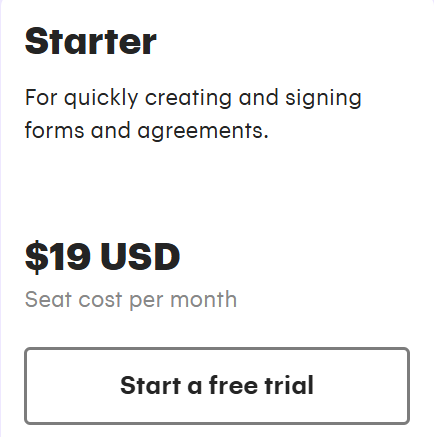
Ideal for those who need to create and sign forms and agreements quickly.
Cost: $19 USD per seat per month
Key Features:
- Unlimited document uploads 📑
- Rich media drag-and-drop document editor ✂️
- Real-time tracking and notifications 🕹️
- 24/7 email and chat support 💬
- Everything in Free, plus:
- Unlimited e-Signatures ✍️
- Free Trial (no credit card required)
The Starter Plan opens up more flexibility for small teams or individuals who need to process more documents. It’s a great way to scale quickly while maintaining an affordable price point. 👍
3. Business Plan (For Sales Proposals & Integrated Agreement Workflows) 💼📈
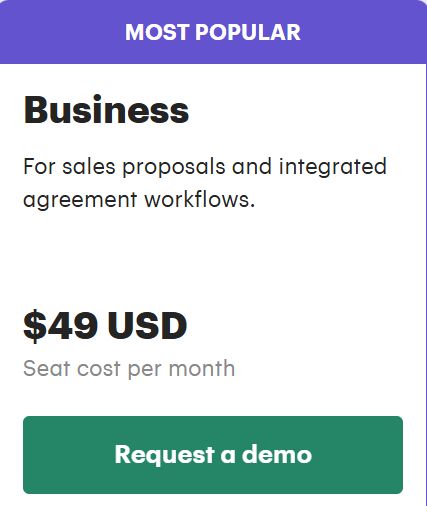
This plan is perfect for growing teams or those needing advanced features for sales proposals and automated workflows.
Cost: $49 USD per seat per month
Key Features:
- Everything in Starter, plus:
- Custom quotes and sales agreements 💼
- CRM integrations 🔗
- Custom branding and content library 🏷️
- Deal rooms 🏢
- Approval workflows ✅
- Web forms 🌐
- Bulk send ✉️
If you’re in sales and need to manage documents at scale with automation and integrations, the Business Plan is your go-to solution. It also includes features like custom branding, deal rooms, and web forms, which make your workflow more professional and efficient. 💪
4. Enterprise Plan (For End-to-End Document Workflows & Advanced Automations) 🌐📊
Designed for larger enterprises needing advanced features, this plan gives you everything to handle complex workflows and integrations at scale.
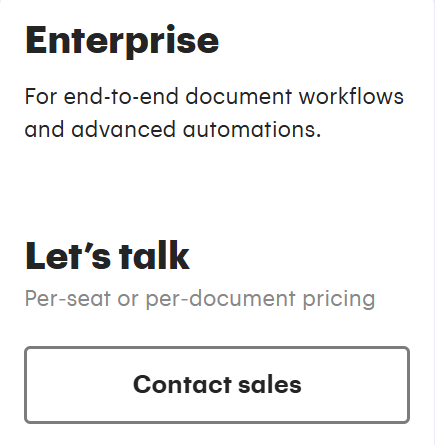
Cost: Contact Sales for customized pricing
Key Features:
- Everything in Business, plus:
- CPQ (Configure, Price, Quote) 🛠️
- Workflow automation ⚙️
- Smart content 🧠
- Single sign-on (SSO) 🔐
- Team workspaces 🧑🤝🧑
- Notary ✍️
- API integrations 🔌
For large teams or enterprises that require full customization and automation, the Enterprise Plan is a perfect fit. From advanced security features like SSO to detailed automation and notary features, this plan is designed for teams that need it all. 💯
Quick Recap of PandaDoc Pricing Plans:
| Plan | Price per Month | Key Features |
|---|---|---|
| Free | $0 | 60 docs, drag-and-drop editor, 24/7 support |
| Starter | $19/seat | Unlimited uploads, e-signatures, real-time tracking |
| Business | $49/seat | Sales proposals, CRM integrations, custom branding |
| Enterprise | Custom pricing | Advanced workflows, API, notary, SSO |
These plans are crafted to serve businesses of all sizes. So, depending on your needs whether it’s simple e-signatures or complete document automation PandaDoc has a solution for you. 😎
Before subscribing to any plan, check if there’s an active PandaDoc discount or promo code available. You can view verified PandaDoc deals here to reduce your subscription cost.
📌 Annual vs. Monthly Billing — Which Is Better? 💸📅
When choosing a PandaDoc plan, one of the most important decisions is whether to opt for monthly or annual billing. Understanding the pros and cons of each option can save you both time and money in the long run. Let’s break it down and see which option suits your business needs. 🤔
✅ Monthly Billing 🗓️
- Flexibility at a higher price: With monthly billing, you only pay for the service each month, allowing you to adjust based on your needs. This is perfect for businesses that may have fluctuating usage or are just starting out and want to test PandaDoc’s features. 💡
- Higher cost: The flexibility comes at a price! Monthly billing usually costs more per seat compared to the annual plan. For example, $19 per month for the Starter Plan, instead of $15 per month when billed annually. 😅
✅ Annual Billing 🏠
- Big savings: If you’re confident PandaDoc is the right tool for you, annual billing offers up to 46% savings! With a lower monthly rate (for instance, $15/month on the Starter Plan), this can add up significantly. 💰
- Upfront commitment: While the upfront cost is higher, it locks in your cost savings and ensures you’re set for the year. This option works well for businesses with stable needs who can commit to PandaDoc long-term. ⏳
✅ Which One Should You Choose? 🤷♂️
- Monthly billing is best if:
- You’re just getting started or have uncertain usage.
- You want to test out the service for a short period before committing to a full year.
- Flexibility is important for your business operations.
- Annual billing is ideal if:
- You’re certain PandaDoc will be a long-term tool for your business.
- You want to save money and don’t mind paying upfront for the entire year.
- Your document and workflow needs are stable or growing consistently.

✅ Conclusion 📝
Choosing between monthly and annual billing depends on your business’s cash flow and commitment level. If you’re looking to save, the annual plan is a clear winner, but if you need flexibility, the monthly option is still a solid choice.
Choosing the right plan depends heavily on your workflow requirements. If you’re unsure which department setup fits your needs, explore our real-world breakdown of PandaDoc Use Cases.
📌 Who Each Plan Is BEST For 🎯👥
1. Free Plan — Best for Freelancers & Small Businesses 💼💥
Perfect for freelancers or small businesses that need basic e-signatures and few documents per month.
Ideal For:
- Freelancers
- Small startups
- Personal or non-profit use
2. Starter Plan — Best for Growing Teams 📈📝
Great for small sales teams or businesses needing unlimited uploads and basic automation.
Ideal For:
- Small businesses or solopreneurs
- Sales teams needing quotes and proposals
- Professionals with regular document workflows

3. Business Plan — Best for Sales Teams & Advanced Workflows 💼🔗
Best for sales teams needing CRM integrations, custom quotes, and approval workflows.
Ideal For:
- Sales teams
- Marketing teams needing document automation
- Growing businesses with collaboration needs
4. Enterprise Plan — Best for Large Enterprises 🏢🌐
Perfect for large teams requiring advanced workflows, API access, and SSO.
Ideal For:
- Large organizations with complex needs
- Teams needing advanced security and automation
- Enterprises needing custom document solutions
“PandaDoc’s pricing plans are designed with flexibility in mind, but how do SaaS tools decide on these plans? To get a broader perspective on the pricing strategies for SaaS businesses, check out this article on SaaS Pricing Model Strategies.”
📌 Pros & Cons of PandaDoc Pricing ⚖️💡
To make an informed decision, it’s important to weigh the pros and cons of PandaDoc’s pricing plans. Here’s a quick look at the advantages and potential drawbacks of each plan.
PandaDoc Pros
- ✓ Affordable for small businesses: The Free Plan and Starter Plan are great for budget-conscious teams
- ✓ Feature-rich plans: The Business and Enterprise plans offer advanced features like CRM integrations, approval workflows, and custom quotes, making document management seamless
- ✓ Easy to scale: Whether you’re starting small or growing quickly, PandaDoc offers plans that scale with your business needs
- ✓ 24/7 support: Access to email and chat support, ensuring you’re never stuck with an issue for too long
PandaDoc Cons
- ✕ Per seat pricing: With higher plans, costs can quickly add up as your team grows, especially for small businesses
- ✕ Advanced features locked behind higher plans: Some features, like API access, workflow automation, and notary, are only available on Enterprise plans, which can be costly
- ✕ Limited documents on the Free Plan: The Free Plan only offers 60 free docs per year, which may not be enough for some businesses
📌 Feature Breakdown: PandaDoc’s Key Features 🛠️📑
PandaDoc offers a variety of powerful features to streamline document creation, signing, and management. Let’s break down some of the key features you get with each pricing tier. 🔑
1. Document Creation & Editing 📝
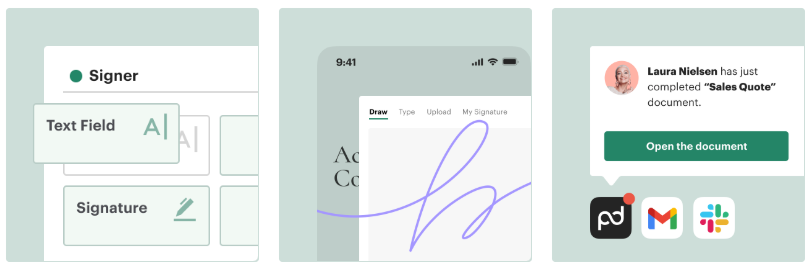
- Drag-and-drop editor: Easily add text, images, and signatures.
- Custom templates: Save time with reusable templates for common documents.
- Media embedding: Insert videos, images, and other media into your documents for a rich experience.
2. E-Signatures ✍️
- Unlimited e-signatures: Sign documents as many times as needed without additional costs.
- Secure signing: Sign documents from any device with top-notch security.
- In-person signing: Option for in-person signatures in certain plans.
3. Integrations 🔗
- CRM integrations: Sync with popular CRMs like Salesforce and HubSpot for smooth workflow.
- Payment integrations: Accept payments directly from the documents using Stripe or PayPal.
4. Workflow Automation ⚙️
- Approval workflows: Automate approvals and send documents to the right people for fast review.
- Document routing: Direct documents to different team members for easy collaboration.
5. Advanced Security & Compliance 🔒
- SSO (Single Sign-On): Available in the Enterprise Plan for better user management and security.
- Audit trails: Track all document actions for full accountability.
- Bank-grade encryption: Protect sensitive data with top-tier encryption methods.
6. Analytics & Reporting 📊
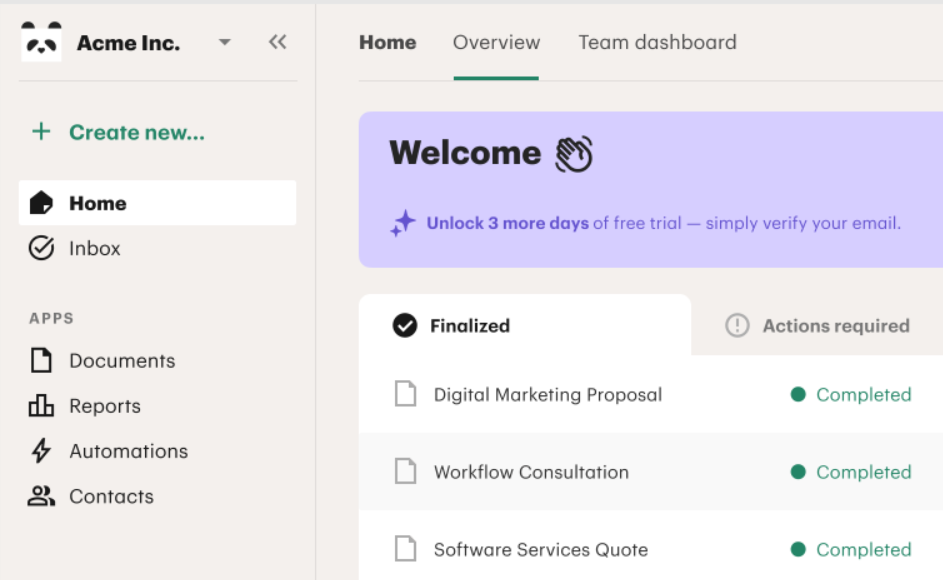
- Insights & reporting: Get detailed reports on document performance, helping optimize your sales cycle.
- Real-time tracking: Know when your document is viewed, signed, or modified.
📌 PandaDoc vs Top Alternatives — Pricing Comparison 💸
Below is how PandaDoc compares with three leading competitors based on official pricing info available online:
📌 1. PandaDoc vs DocuSign
| Platform | Typical Starting Price | Notes |
|---|---|---|
| 📄 PandaDoc Starter | $19 / user / month (annual) | Includes e‑sign + document editor & automation features |
| ✒️ DocuSign Standard | ~$25–$45 / user / month (varies by region) | Focused on e‑signatures; advanced features in higher tiers |
Summary:
➡ PandaDoc gives more features per dollar (templates, workflows, CRM integrations) compared to basic DocuSign plans.
📌 2. PandaDoc vs HelloSign (Dropbox Sign)
| Platform | Typical Starting Price | Notes |
|---|---|---|
| 📄 PandaDoc Starter | $19 / user / month | Full document workflow + e‑signs |
| ✍️ HelloSign Team | ~$25 / user / month | Good for core e‑signing, less automation & proposal features |
Summary:
➡ PandaDoc gives more document creation and automation features even at lower cost.
📌 Tips to Save Money with PandaDoc 💸📝
If you’re looking to get the most out of your PandaDoc subscription without breaking the bank, here are some proven tips to save money while maximizing value. 🏷️
1. Choose Annual Billing 🏠💰
By switching to annual billing, you can save up to 46% compared to paying month-to-month. While the initial cost is higher, you’ll save in the long run, especially if you’re committed to using PandaDoc for the year. 🔥
2. Take Advantage of the Free Plan 🆓📑
If your document needs are basic (like a few contracts per year), the Free Plan is a great choice no cost, and still offers essential e-signatures, document editing, and email support. It’s an ideal option for freelancers or solo entrepreneurs. 🌟
3. Look for Promotions or Discounts 🎉💸
Keep an eye out for seasonal discounts, Black Friday deals, or promotional codes. PandaDoc occasionally runs limited-time offers on its plans, so you can get access to more features at a lower price. 🤑
4. Only Pay for What You Need 🧮💼
Be mindful of the number of users and features you actually need. If your team is small, opt for fewer seats and more basic features in the Starter Plan rather than jumping to the Business or Enterprise plans. 📉
5. Take Full Advantage of Integrations 🔗
If you’re paying for a higher-tier plan, make sure you fully leverage the CRM integrations, payment systems, and automated workflows that come with it. These features will save your team time, which directly translates to cost savings in the long run. ⏳

📌 Conclusion: Which PandaDoc Pricing Plan Should You Choose? 🎯💼
PandaDoc offers a flexible pricing structure designed to meet the needs of businesses of all sizes. Whether you’re a freelancer looking for basic e-signatures or a large enterprise in need of advanced document workflows, there’s a plan that fits your requirements. 🚀
- Free Plan: Ideal for freelancers and those with limited document needs.
- Starter Plan: Best for small businesses or sales teams that need unlimited document uploads and basic automation.
- Business Plan: Perfect for growing businesses that need CRM integrations, advanced document creation, and workflow automation.
- Enterprise Plan: Tailored for large organizations that require custom solutions, security features, and advanced integrations.
By choosing the right plan, you can save money while ensuring your document management process is as efficient as possible. Don’t forget to take advantage of annual billing to get the most value out of your subscription. 🏅
No matter the size of your business, PandaDoc is a powerful tool that can streamline your workflows, boost your sales, and simplify document signing. 💪
“Related Articles”
- PandaDoc vs DocuSign: Which E-Signature Tool Wins?
- 5+ Best PandaDoc Alternatives & Competitors in 2026
📌 Frequently Asked Questions (FAQ) ❓💬
1. Is PandaDoc free? 🆓
Yes, PandaDoc offers a Free Plan with up to 60 documents per year. This plan includes e-signatures and basic document editing features, making it a great choice for freelancers or small businesses.
2. Which PandaDoc plan is best for small businesses? 🏢
For most small businesses, the Starter Plan at $19/month is a great option. It includes unlimited document uploads, e-signatures, and real-time tracking, which is ideal for growing teams needing more flexibility.
3. Can I switch plans later? 🔄
Yes, you can easily upgrade or downgrade your PandaDoc plan at any time. Whether you start with the Free Plan or the Starter Plan, you can change plans as your business grows and your document needs evolve.
4. Does PandaDoc offer customer support? 📞
Yes! All plans, including the Free Plan, come with 24/7 email and chat support, so you can get help whenever you need it. Higher-tier plans like Business and Enterprise also offer dedicated support.
5. Can PandaDoc integrate with other software? 🔗
Yes, PandaDoc integrates with popular tools like Salesforce, HubSpot, and Stripe. CRM integrations and payment systems are included in the Business and Enterprise plans, helping you streamline your document management.

👨💻 Hi, I’m Anas Khan, a digital marketing expert with over 5 years of experience in e-commerce and affiliate marketing. I specialize in finding the best coupon codes 💸, Black Friday promotions 🛍️, and discount offers 💥 to help you save big!
I’ve dedicated myself to staying on top of the latest trends 📈 in online deals, so I can offer you the most reliable, tested advice. Whether you’re looking for promo codes or exclusive Black Friday deals, you can trust that my recommendations are based on solid research and personal expertise 🏆.